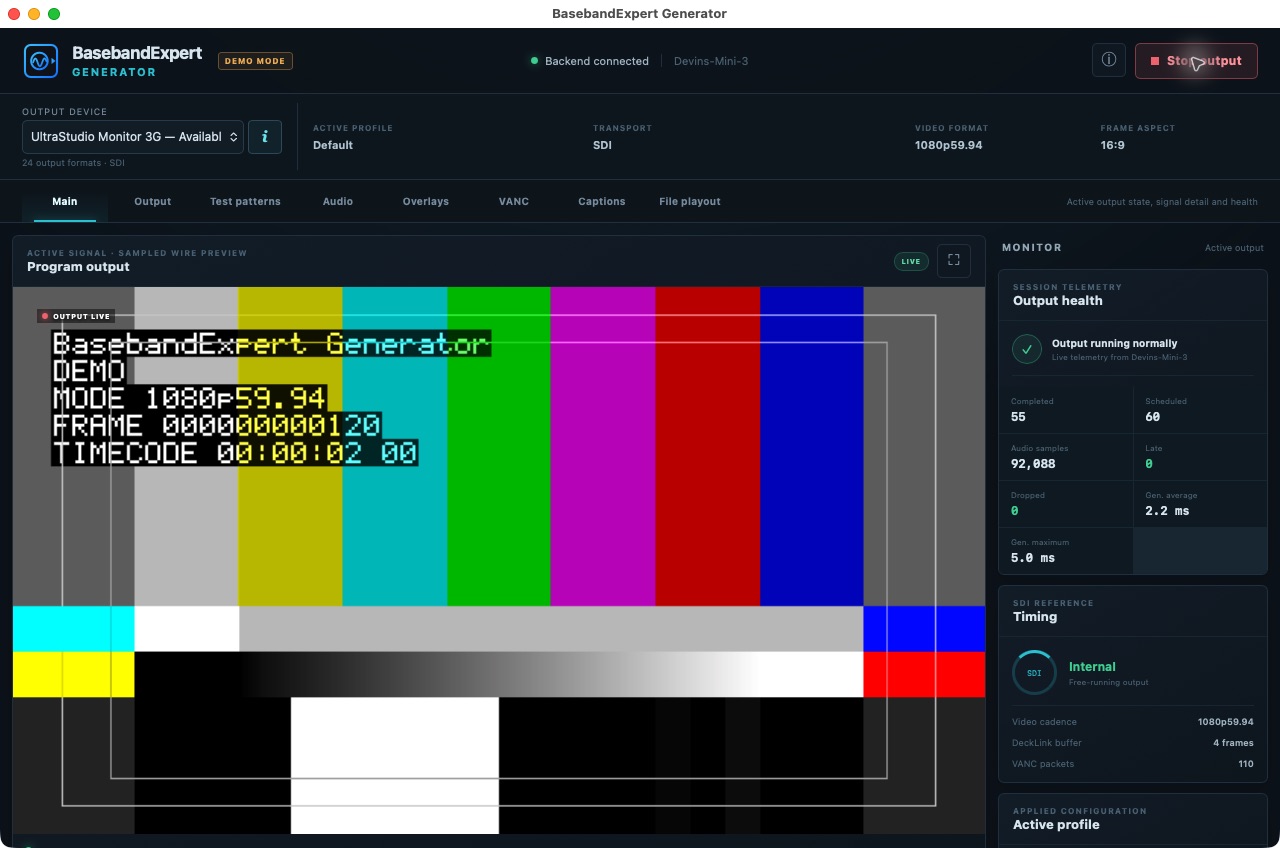
BasebandExpert Generator builds repeatable 10-bit SDI test signals with standard patterns, embedded audio, overlays, captions, VANC, HDR metadata, and local file playout. The same application can also publish supported signals as NDI® sources.
PlatformsmacOS + LinuxOutputSDI up to 3G + NDI®Signal pathYCbCr 4:2:2 · 10-bit
Main · live output, signal details, and healthMore
Output
Define the signal—and choose where it goes.
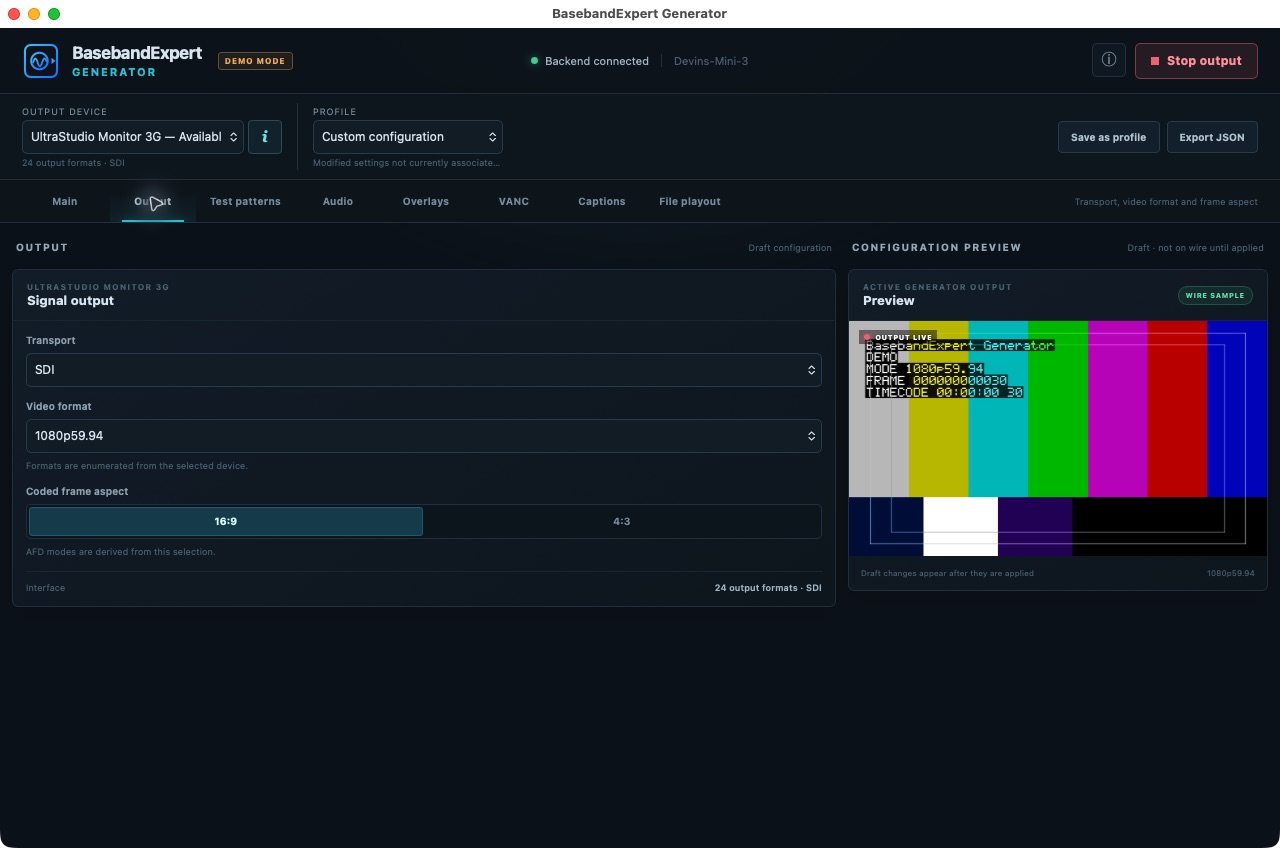
The Output tab keeps transport, video format, frame aspect, and output timing together, making it easy to build the exact signal a device or workflow expects.
SD and HD formats through 3G-SDI
10-bit P216 NDI® video with synchronized multichannel audio
Physical SDI, NDI network, and hardware-free virtual output choices
Output · transport, format, and frame aspect
Test patterns
Put a known picture—and known timing—on the wire.
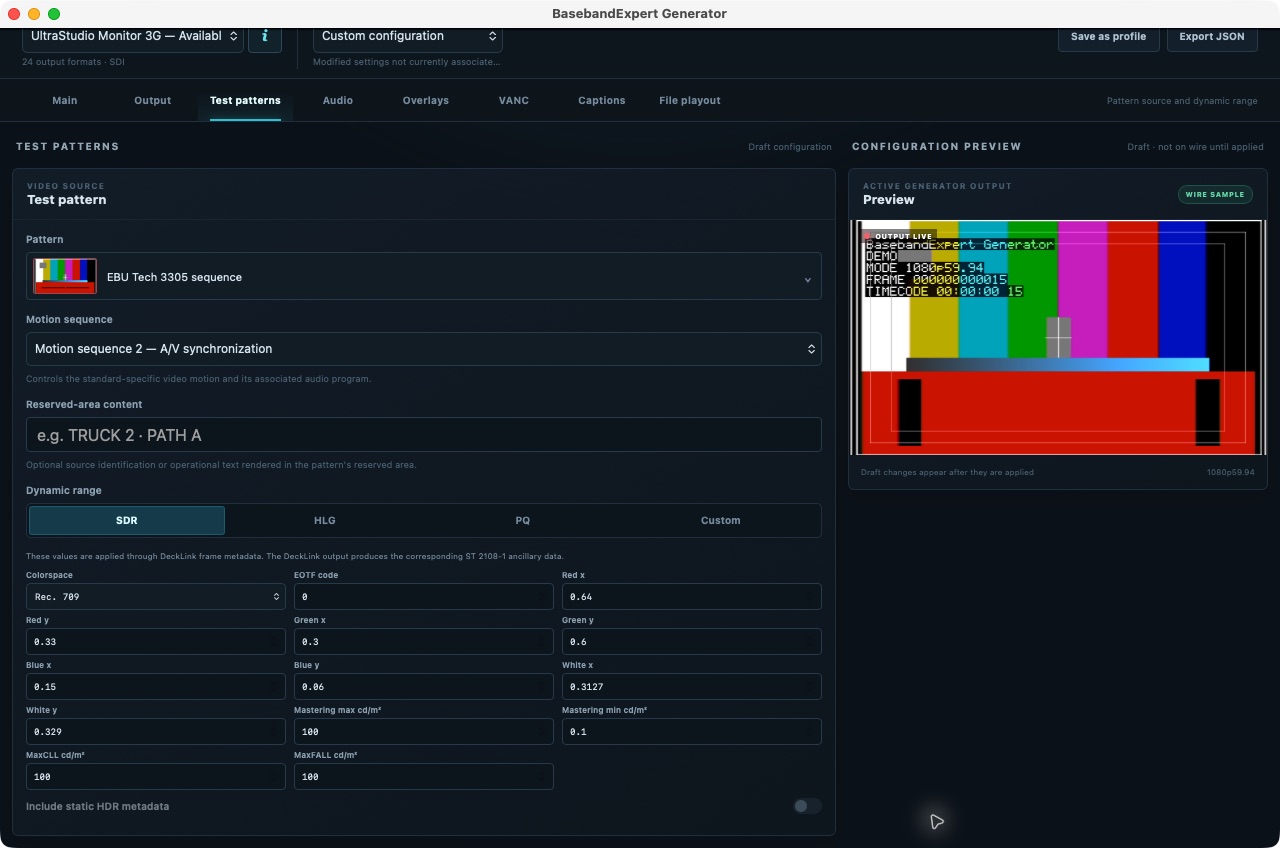
Choose established engineering patterns for alignment, color, HDR, stress testing, and synchronization. The EBU Tech 3305 Motion Sequence 2 pattern provides a purpose-built A/V sync reference for downstream measurement.
EIA-189A, SMPTE RP 219, SMPTE RP 198, and engineering patterns
ITU-R BT.2111-3 and EBU Tech 3373 HDR color bars
SDR, HLG, PQ, and custom color metadata
Test Patterns · EBU Tech 3305 Motion Sequence 2 for A/V sync
Audio
Build an embedded-audio program you can identify by ear and meter.
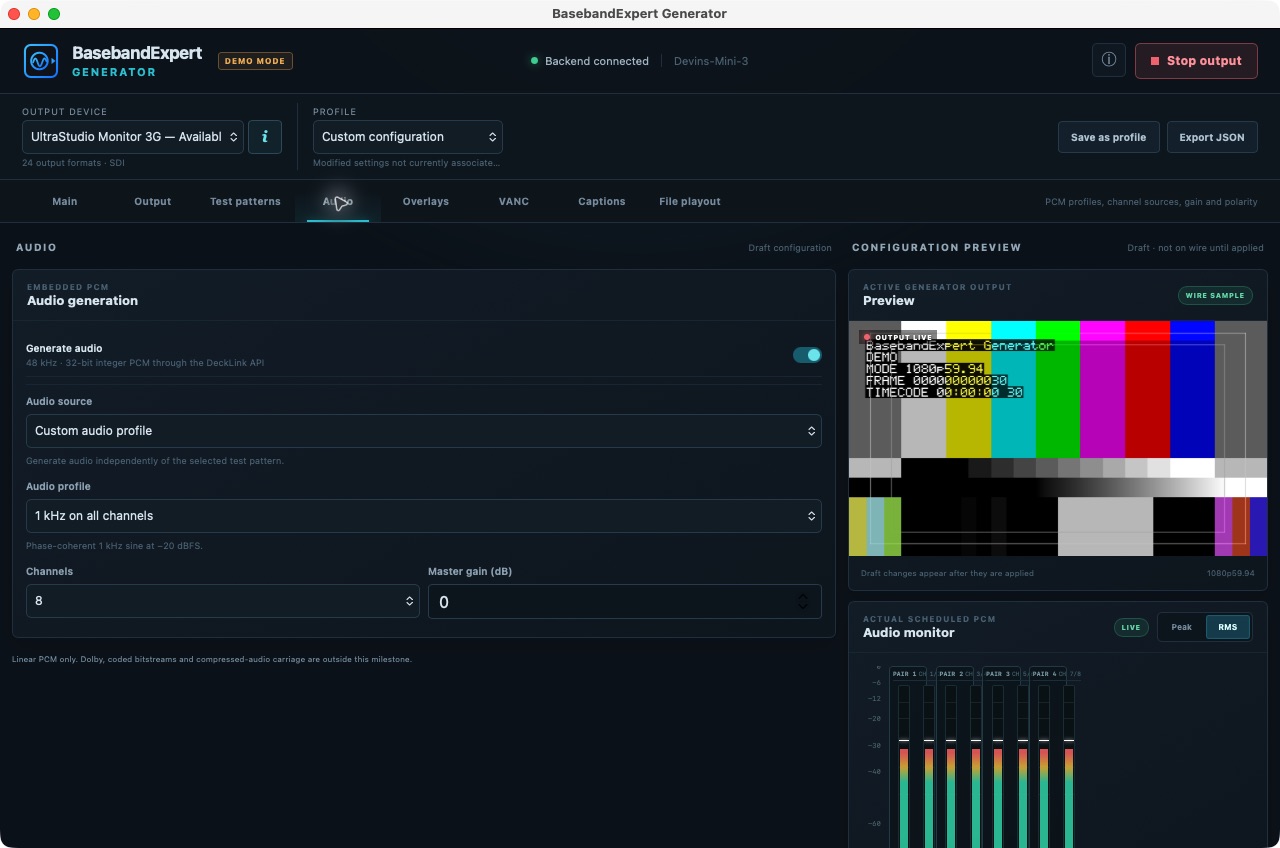
The Audio tab assigns tone, silence, or noise per channel, with the channel count, level, frequency, label, and polarity visible before playout.
2, 8, or 16 channels of 48 kHz PCM
Per-channel sources, gain, frequency, labels, and polarity
Live output metering for immediate confirmation
Audio · channel sources, levels, and live meters
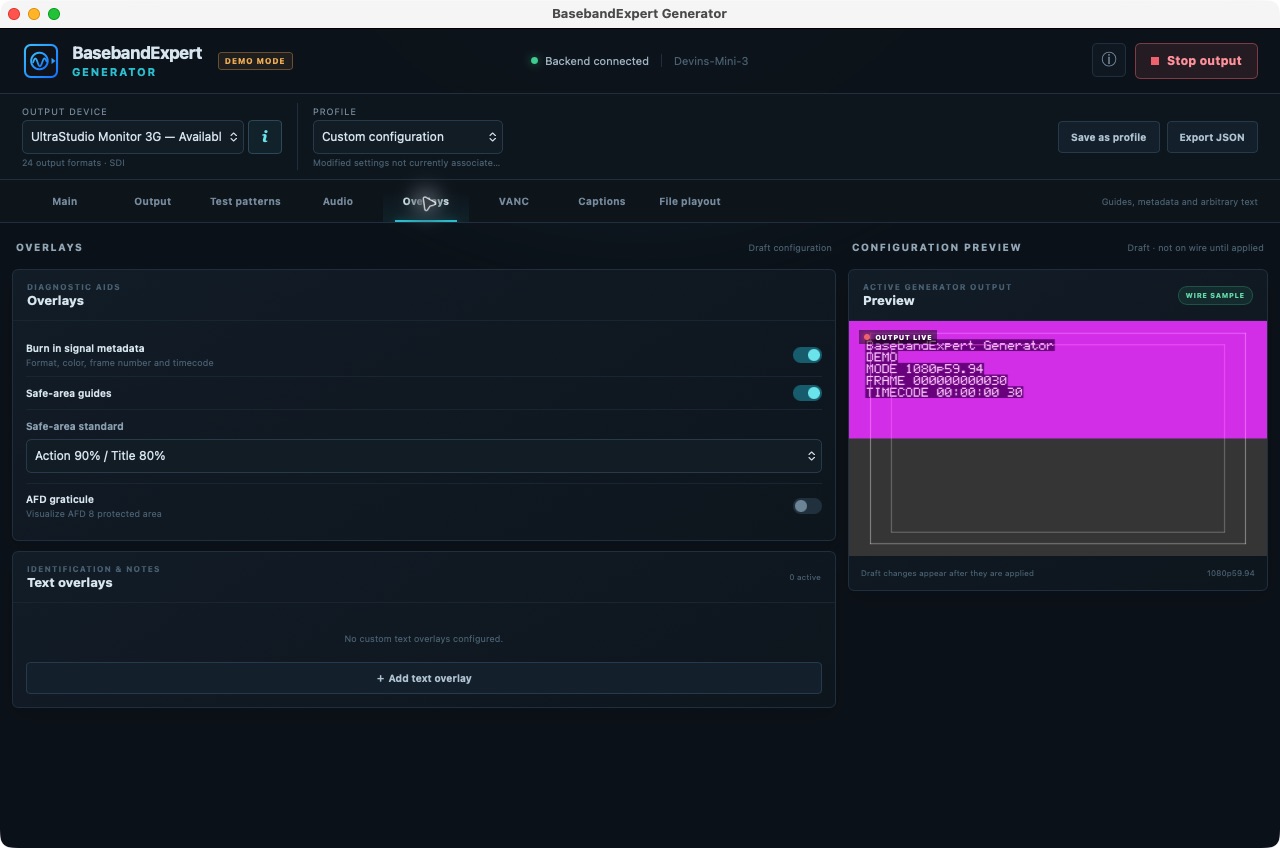
Overlays
Make every test signal explain itself.
Burn operational details into the picture, add custom identifiers, and show framing guides so a recorded frame carries the context needed to diagnose it later.
Signal metadata and independently placed custom text
Safe-area presets and custom guides
AFD graticules for protected-area visualization
Overlays · identification, safe areas, and AFD guides
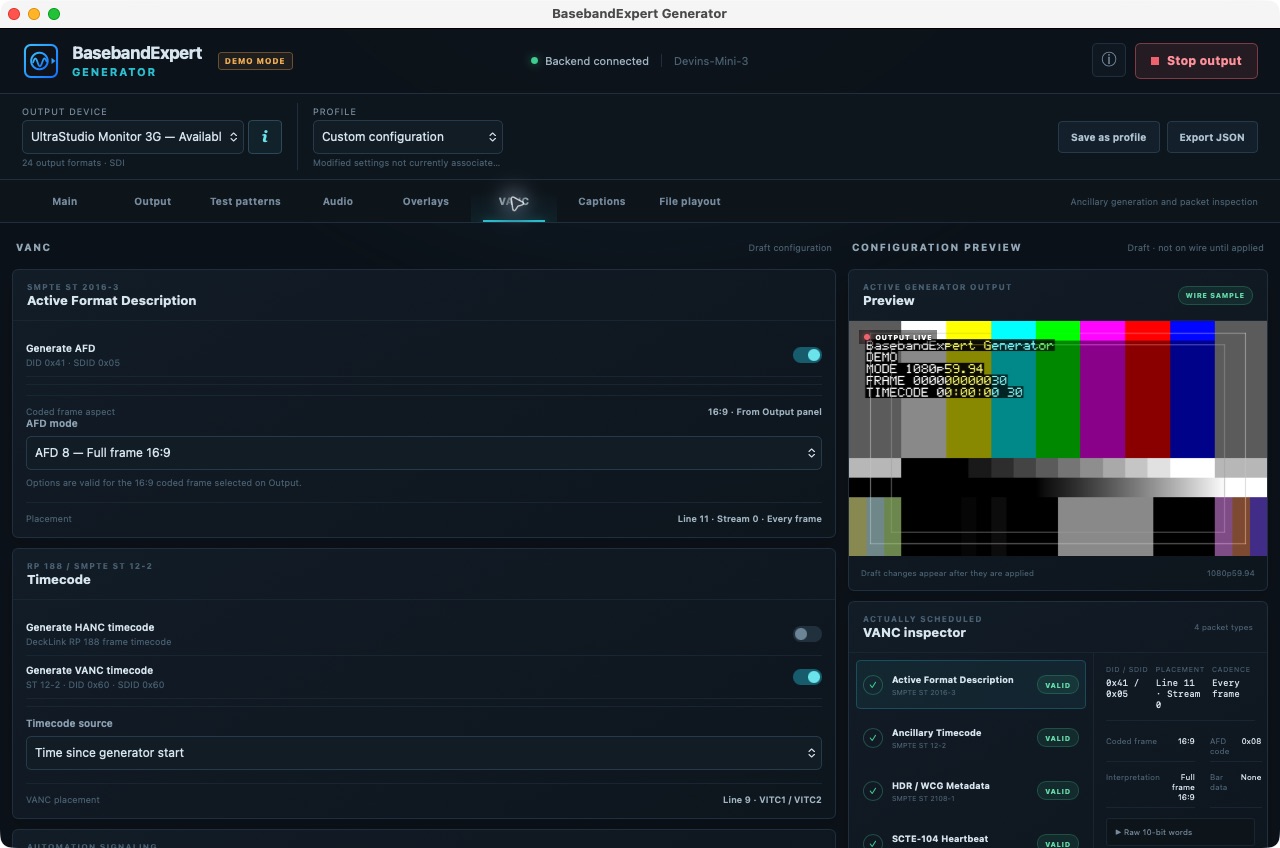
VANC
Generate ancillary data—and verify what was scheduled.
The VANC tab creates the metadata a workflow needs, then presents the scheduled packets back to the operator with decoded fields and raw words.
SMPTE ST 2016-3 AFD and ST 12-2 timecode
SMPTE ST 334-2 captions and ST 2108-1 HDR/WCG metadata
Configurable SCTE-104 splice-null heartbeat
VANC · packet generation and output inspection
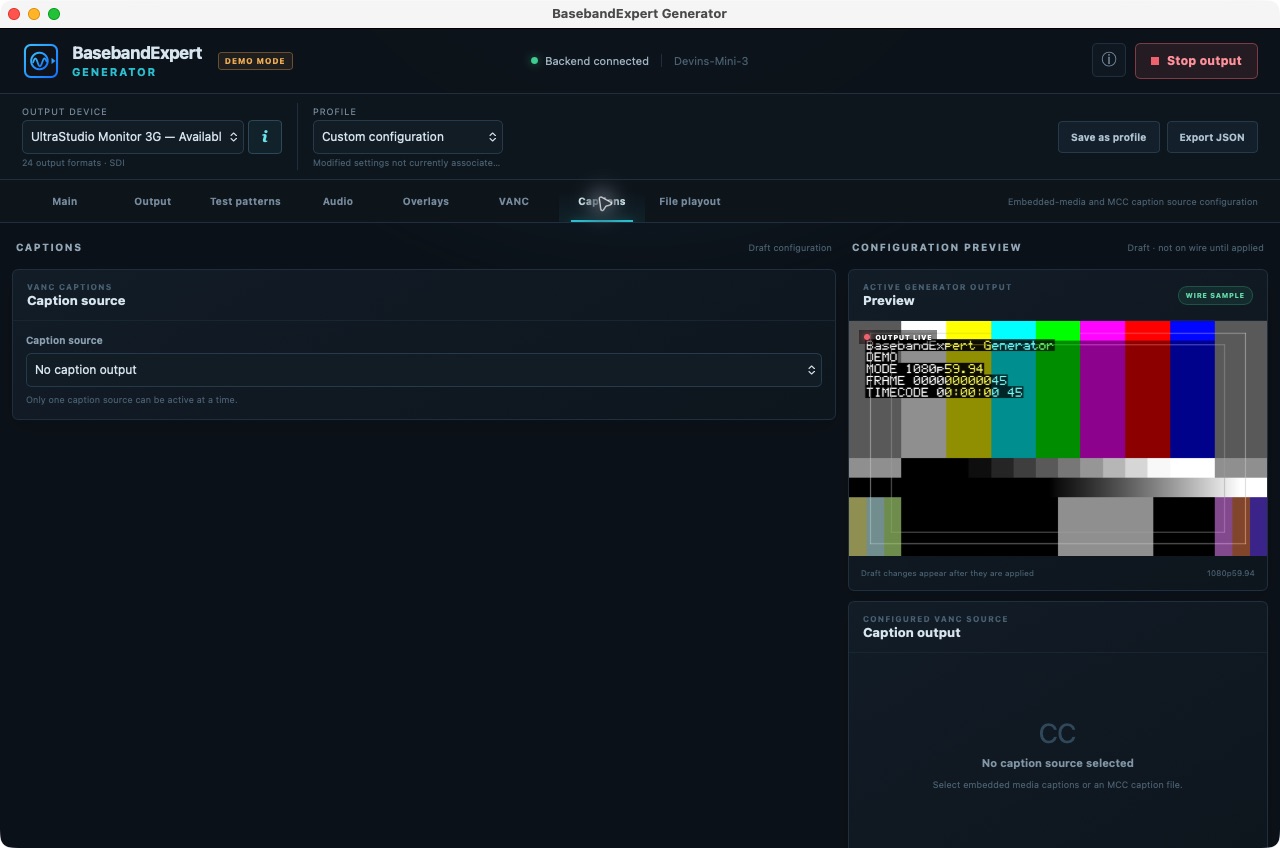
Captions
Exercise the caption path with the picture and metadata around it.
The Captions tab selects embedded-media or MCC caption sources independently of the generated picture, allowing caption workflows to be tested without rebuilding the rest of the signal.
Embedded-media and MCC source selection
Caption playout coordinated with the active output
Clear source and readiness status before transmission
Captions · dedicated source selection and status
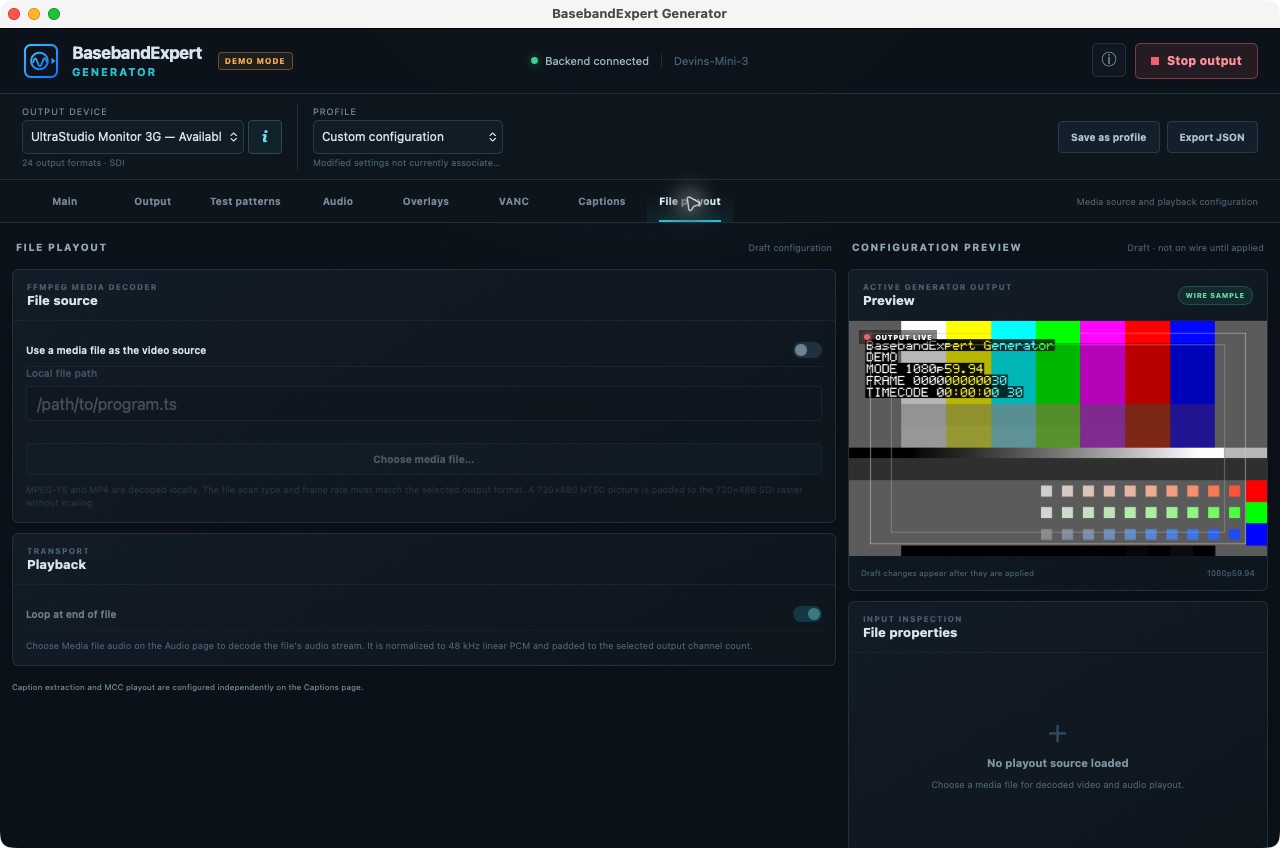
File playout
Put a local media asset into the same controlled SDI path.
The File Playout tab uses supported MPEG-TS and MP4 assets as the video source, with looping plus coordinated audio and caption choices for repeatable end-to-end tests.
Local MPEG-TS and MP4 source selection
Optional looped playback for sustained testing
Audio and captions configured through their dedicated tabs
File Playout · local media, looping, audio, and captions
Build a known source
Generate a complete SDI test signal, not only a color pattern.
Exercise the picture, audio, caption, ancillary-data, HDR, and timing paths together. Every element is configured from one signal-generation workflow so a downstream fault can be reproduced and measured.
SDI test patterns
Start with standards-based pictures.
Generate engineering patterns, SMPTE color bars and checkfields, HDR bars, solid colors, ramps, motion, and purpose-built A/V synchronization sequences.
Embedded payloads
Test more than the active picture.
Add up to 16 channels of PCM audio, captions, timecode, AFD, HDR metadata, SCTE-104 heartbeat messages, identifiers, and framing guides.
Repeatable playout
Keep the stimulus controlled.
Send the configured signal through supported SDI hardware, use a hardware-free virtual output, publish supported NDI® sources, or loop a local media asset for sustained testing.
Generator FAQ
Questions engineers ask before generating a test signal.
What SDI formats can the generator output?
BasebandExpert Generator supports SD and HD formats through 3G-SDI using compatible Blackmagic Design output hardware.
Does it generate embedded audio and ancillary data?
Yes. It can generate 2, 8, or 16 channels of 48 kHz PCM audio plus supported captions, AFD, timecode, HDR metadata, and SCTE-104 ancillary messages.
Can it generate an A/V sync test signal?
Yes. It includes the EBU Tech 3305 Motion Sequence 2 pattern, which BasebandExpert Analyzer can detect and measure on a per-channel basis.
Is dedicated SDI hardware required for every workflow?
No. Physical SDI output requires supported Blackmagic Design hardware, but the application also provides a hardware-free virtual output and can publish supported signals as NDI® sources.
Video
Signal path
Processing
10-bit YCbCr 4:2:2 signal generation with synchronized playout.
SDI output
Output through supported Blackmagic Design hardware, including the UltraStudio Monitor 3G on macOS.
NDI output
10-bit P216 YCbCr 4:2:2 video with synchronized multichannel 48 kHz PCM audio, advertised as an NDI® source on the local network.
Formats
Supported SD and HD formats up to 3G-SDI. NDI output supports SDR signals.
Pictures
Test patterns
Engineering
Diagnostic pattern, solid colors, ramps, moving box, and EIA-189A.
SMPTE
RP 219-1 color bars, RP 219-2 color bars, and RP 198 checkfield.
EBU / ITU
EBU Tech 3305 sequence, ITU-R BT.2111-3 HLG and PQ color bars, and EBU Tech 3373 HLG color bars.
Color metadata
SDR, HLG, PQ, and custom profiles with Rec. 601, Rec. 709, or Rec. 2020 colorimetry; mastering-display, MaxCLL, and MaxFALL values.
Data
Audio and ancillary
Audio
2, 8, or 16 channels of 48 kHz integer PCM with tone, silence, or noise sources; per-channel level, frequency, label, enable, and polarity controls.
AFD
SMPTE ST 2016-3 Active Format Description with coded-frame-aware mode selection.
Timecode
SMPTE ST 12-2 VANC/HANC timecode from elapsed time or local time of day.
Closed captions
SMPTE ST 334-2 closed-caption data carried in VANC.
SCTE-104
Configurable SCTE-104 splice-null heartbeat carried as ancillary data.
HDR ANC
SMPTE ST 2108-1 output through the supported video interface.
macOS
Apple silicon desktop
macOS 26.0 or newer on Apple silicon.
For SDI output: Blackmagic Design UltraStudio Monitor 3G with Blackmagic Desktop Video version 16.0 or later installed.
For NDI® output: an Ethernet network capable of carrying the selected video format.
Compatibility note: the older UltraStudio Monitor is not supported on Apple silicon platforms.
Linux
Linux workstation
64-bit Linux.
For SDI output: a compatible Blackmagic Decklink playout device with Blackmagic Desktop Video version 16.0 or later installed.
For NDI® output: an Ethernet network capable of carrying the selected video format.
Release history
Generator changelog.
New capabilities, workflow improvements, and bug fixes included in each public release.
Version 1.3 Current release
Licensing, qualification, and safer playout.
New
Offline perpetual licensing with signed .belicense files and license details in About.
A full-featured 15-minute trial before a license is required.
Expanded automated release qualification and reproducible, signed, and notarized builds.
Fixed & improved
Unsupported MCC caption output rates are reported before playout starts.
Generator settings persist through backend restarts.
Outdated Blackmagic Desktop Video installations show actionable guidance.
Version 1.2
Hardware-free and network output workflows.
New
Virtual Output for evaluating the complete signal pipeline without output hardware.
NDI® video and audio output alongside DeckLink output.
A first-run walkthrough covering output, patterns, audio, overlays, VANC, captions, and file playout.
Fixed & improved
Pending output changes are applied before an output starts.
The active transport stays synchronized with the backend.
Version 1.1
Production-ready distribution and evaluation.
New
A signed and notarized Apple silicon installer with a drag-to-Applications workflow.
15-minute demo sessions with visible demo identification in the application and generated output.
Version 1.0
Initial release of BasebandExpert Generator.
New
Standards-based test patterns and file playout with DeckLink output.
Live output preview, signal inspection, audio metering, and output-health telemetry.
BasebandExpert Generator
Download the evaluation.
This is a full-featured evaluation build of BasebandExpert Generator. Each evaluation session runs for fifteen minutes, after which the application exits.
Perpetual named license: $99 USD. A purchased license is delivered as a portable .belicense file. Import it from the application’s About dialog; installation and all later validation work without an internet connection. See how to install your license.