Product family

02 / Route

ST 2110 & SDI
Router Control

BasebandExpert Router is router control software for NMOS media systems and supported Blackmagic Videohub SDI routers, with logical routing, observed confirmation, and an auditable record of every change.

PlatformsmacOS + LinuxControlNMOS + SDI routersInterfaceWeb-based
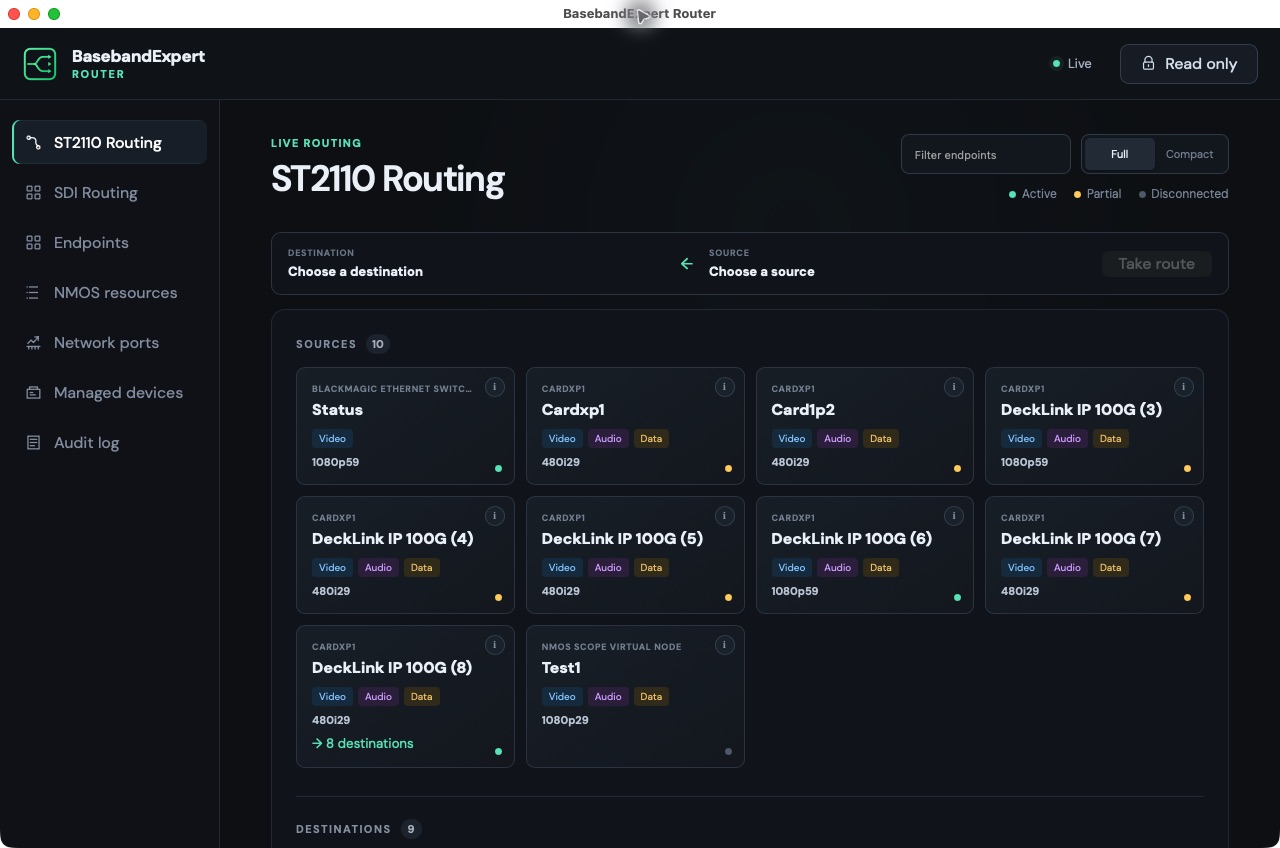
BasebandExpert Router for macOS showing live ST 2110 sources and destinations
Running Router · ST 2110 topology and observed connection state
More

Logical routing

Route complete endpoints, not loose essences.

Router groups related NMOS video, audio, and data resources into sources and destinations, then expands one operator action into the compatible per-essence IS-05 receiver activations. Supported Blackmagic Videohub systems bring legacy SDI crosspoint routing into the same interface.

  • Full and compact topology views with endpoint filtering
  • Active, partial, and disconnected observed states
  • Grouping based on BCP-002-01 grouphint metadata
  • Blackmagic Videohub discovery, crosspoint control, port labels, and locks
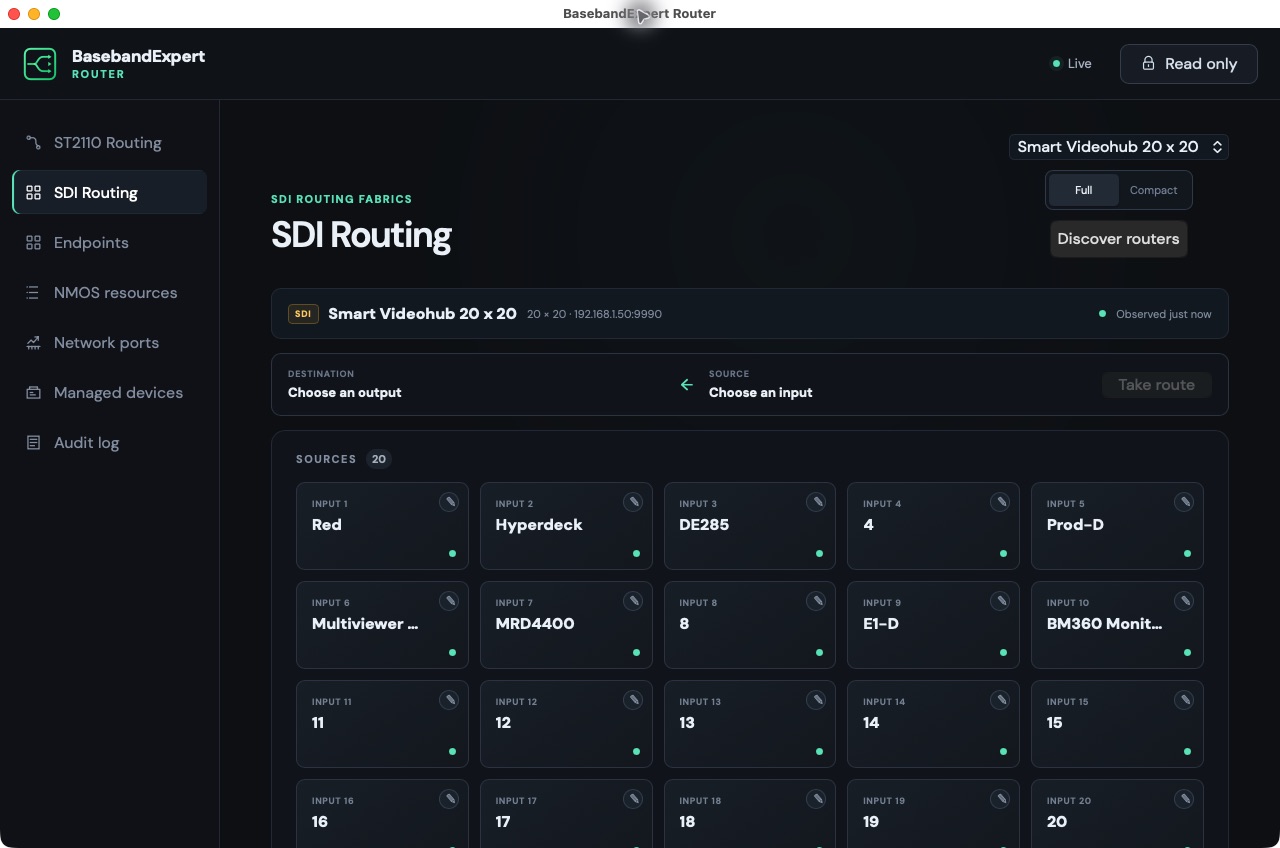
BasebandExpert Router for macOS showing a Blackmagic Smart Videohub and its live SDI crosspoints
Legacy SDI routing with live Blackmagic Videohub crosspoint state.

NMOS engineering

See the resources behind every route.

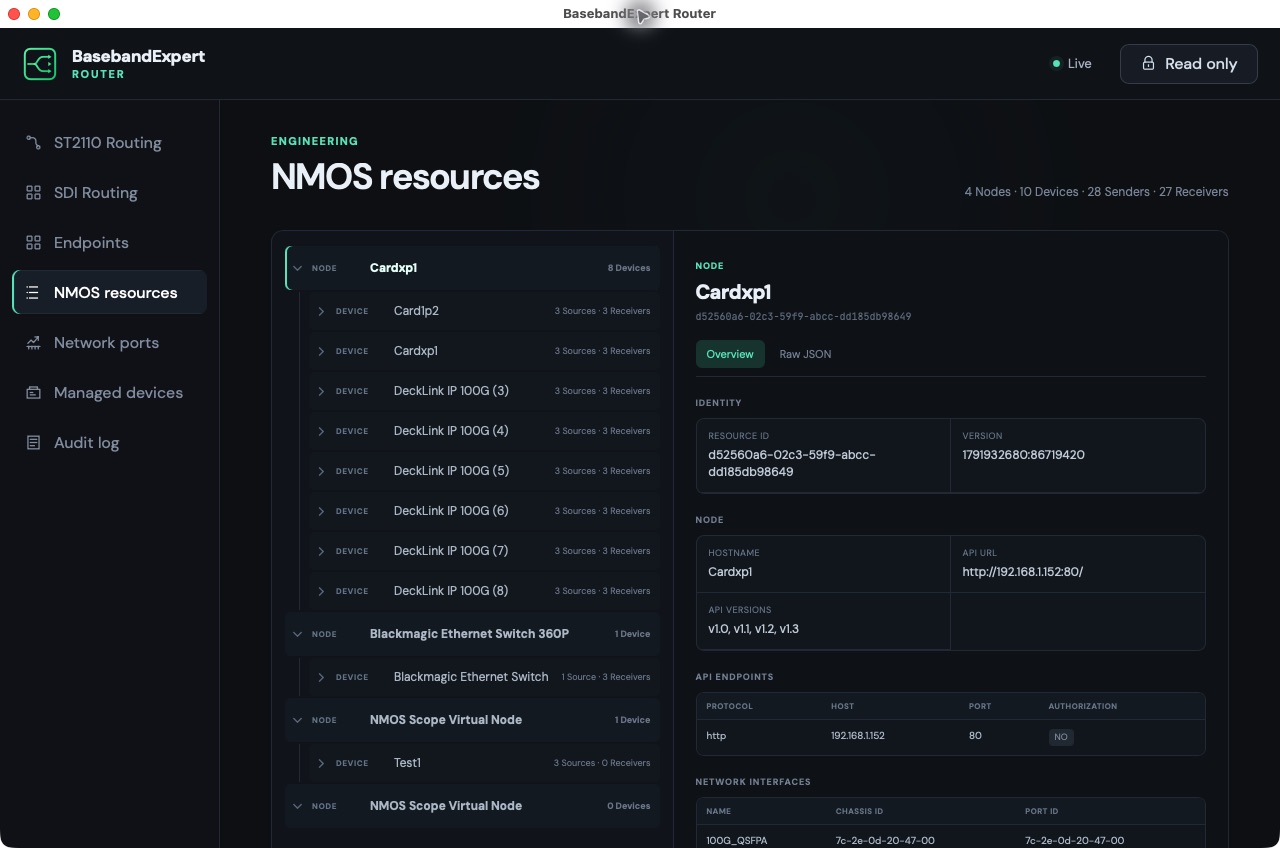
Discovery builds a live hierarchy of IS-04 Nodes, Devices, Sources, Flows, Senders, and Receivers. Select any resource to inspect its identity and connection details without leaving the routing interface.

  • Automatic and configured NMOS discovery
  • IS-05 connection state and transport details
  • Video, audio, and data summaries for discovered senders
BasebandExpert Router for macOS showing an NMOS resource hierarchy and selected Node details
Discovered NMOS hierarchy and Node details.

Network visibility

Put media connections beside port health.

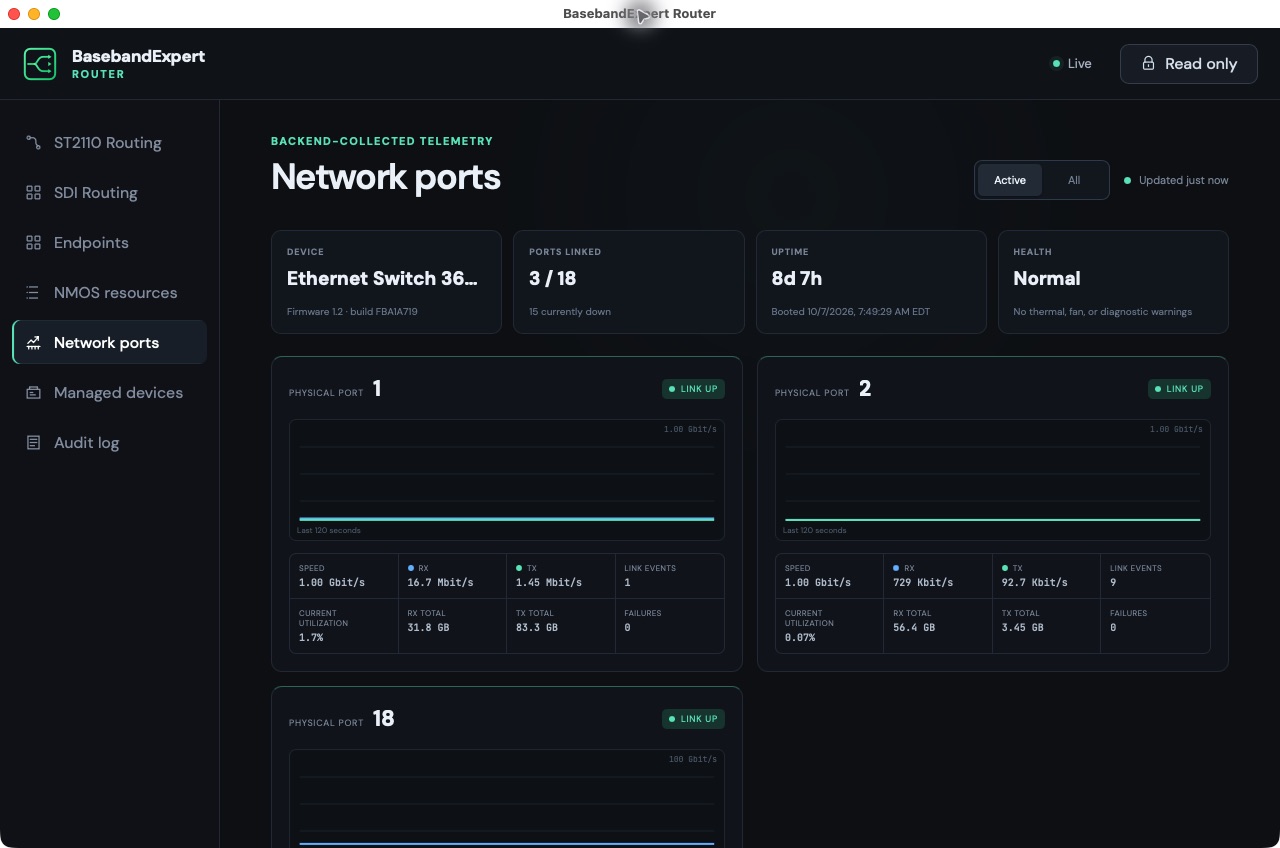
For discovered Blackmagic Ethernet Switch 360P devices, Router collects the network telemetry needed to relate a logical signal path to the physical ports carrying it.

  • Per-port receive and transmit bitrate
  • Link state, speed, utilization, and byte totals
  • Link events, failures, uptime, and device health
BasebandExpert Router for macOS showing Ethernet switch health and live per-port traffic
Switch health and live per-port traffic telemetry.

Managed devices

Bring fixed multicast sources into NMOS.

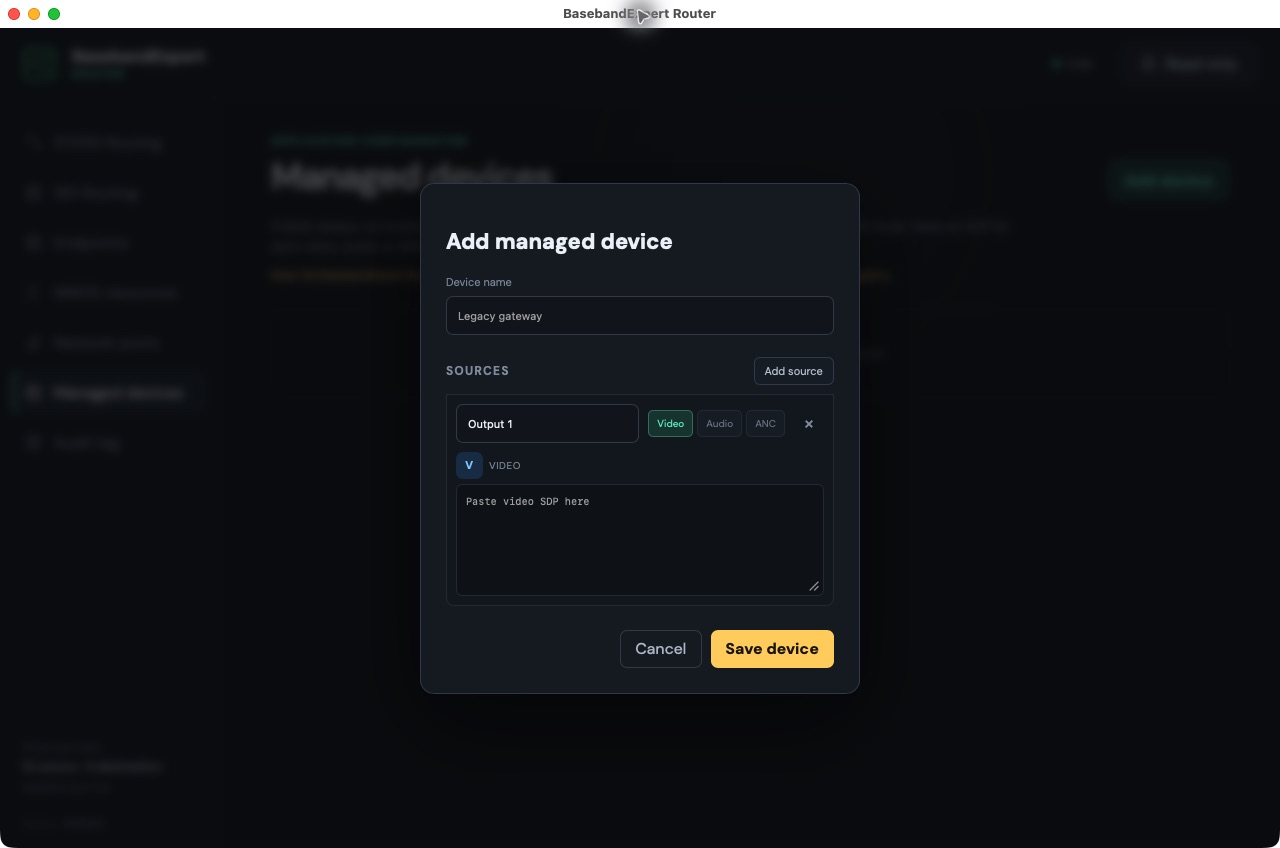
Always-on multicast sources from legacy or non-NMOS-enabled equipment can be defined from their SDPs and published as NMOS-compatible sources. They become discoverable and routable with standard NMOS tools alongside native NMOS equipment.

  • Video, audio, and ANC sender definitions
  • Stable resource identities across restarts
  • Enable or withdraw a complete managed device
BasebandExpert Router for macOS managed-device editor with video, audio, and ANC source options
Configure a fixed multicast source for publication through NMOS.

Controlled change

Make the route—and keep the evidence.

Router separates operator intent from observed device state, exposes compatibility concerns before activation, and records what happened after control is enabled.

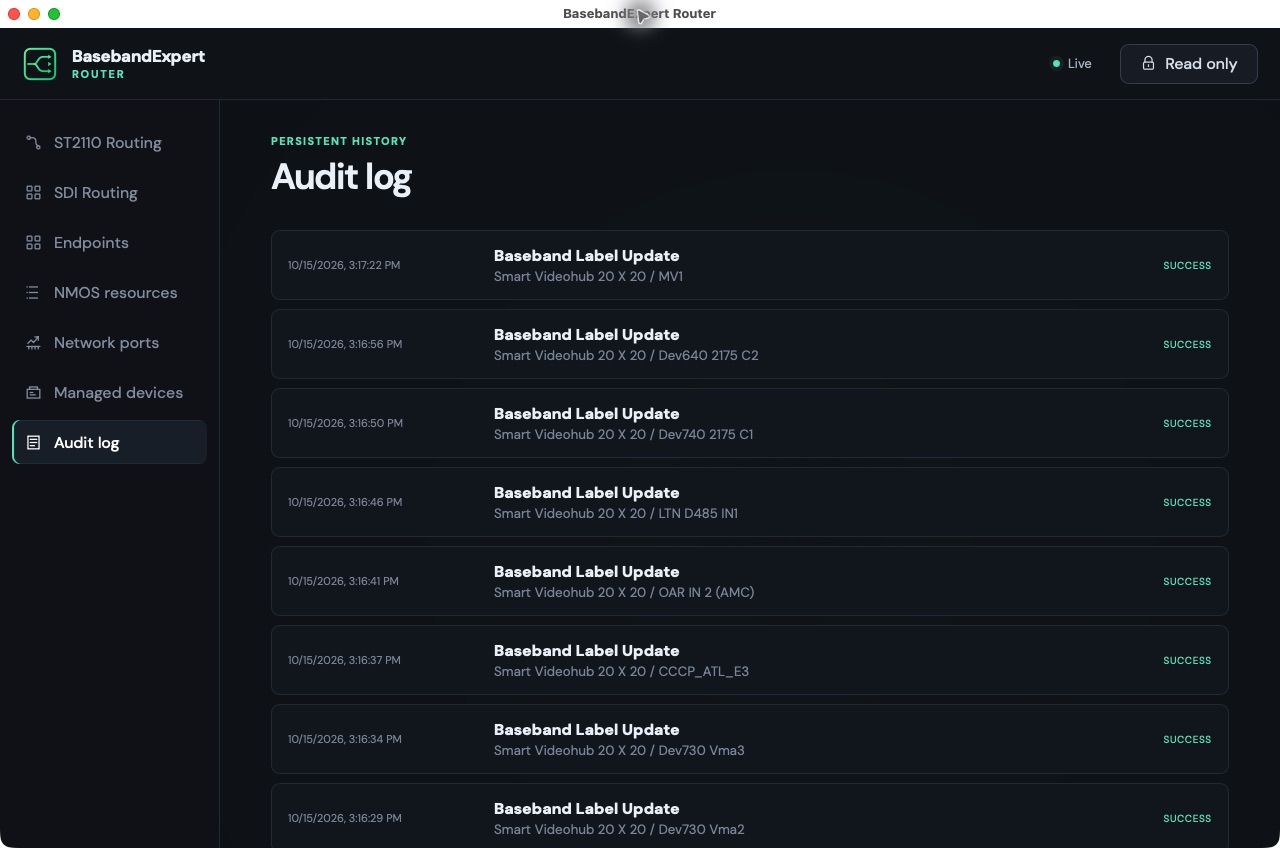
BasebandExpert Router for macOS audit log showing successful Blackmagic Videohub label and route changes
Persistent audit history for routes, disconnects, activation, and configuration changes.
01

Read-only by default

Each browser session starts locked. Routing, source activation, and managed-device changes require an explicit switch to control mode.

02

Compatibility review

Advertised sender and receiver capabilities are compared before a route, with impact review when the endpoints do not cleanly match.

03

Observed confirmation

Requested routes remain distinct from the state reported by the devices, including per-essence success and partial outcomes.

04

Persistent audit trail

Routes, disconnects, source activation, and configuration changes are logged with target, result, session context, details, and errors.

Choose the right routing layer

ST 2110 orchestration and SDI router control in one operator view.

BasebandExpert Router does not replace the media switch or SDI matrix. It controls the systems that carry the signal, translating operator intent into NMOS connections or supported Blackmagic Videohub crosspoints and then showing the state that the devices report back.

ST 2110 routing

Control NMOS-connected media.

Discover IS-04 resources, group related video, audio, and ANC essences, and activate compatible IS-05 Receivers as a logical route.

SDI router control

Operate supported Blackmagic Videohub matrices.

Discover Blackmagic Videohub routers and manage crosspoints, port labels, and locks from the same browser-based interface.

Operational assurance

Separate requested and observed state.

Review compatibility before activation, start read-only, and retain a persistent record of route, disconnect, and configuration results.

Router FAQ

Questions broadcast engineers ask before deployment.

Is BasebandExpert Router an SDI routing matrix?

No. It is SDI router control software for supported Blackmagic Videohub systems. The physical router remains the signal matrix; BasebandExpert provides discovery, crosspoint control, labels, locks, state visibility, and audit history.

How does it route SMPTE ST 2110 media?

Router discovers NMOS IS-04 resources, groups related video, audio, and data essences into logical endpoints, and uses NMOS IS-05 to activate compatible Receivers.

Can ST 2110 and SDI systems appear together?

Yes. Native NMOS endpoints and supported Blackmagic Videohub SDI routers can be operated from the same interface, which is useful in hybrid broadcast facilities.

Does opening the interface allow immediate routing changes?

No. Every browser session starts in read-only mode. An operator must explicitly enable control before making routes or configuration changes.

Role in the suite

Router controls the path.

Generator provides a known SDI test signal. Router puts that source—or any discovered NMOS source—at the required destination. Analyzer and Monitoring can then inspect or observe what arrives.